Rob Run Radar and Battle Mode Options
A clear breakdown of Rob Run 2D radar, distance rings, FOV cone, object filters, off-screen indicators, player list, and battle mode controls.
The Rob Run radar feature has its own group of display and filter options. Battle mode is listed separately with a toggle, key, and combat-focused label filters. Keeping the two groups distinct helps readers understand which terms refer to radar and which refer to the battle mode state.
Radar display options
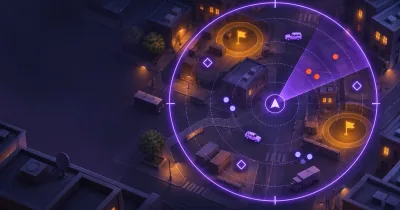
Radar Options include 2D Radar, Distance Rings, FOV Cone, Radar Range / Size / Zoom, and Auto Zoom. The supplied list also includes Show Players, Show Vehicles, Show Loot, Show Cameras, Show Hideouts, Show Objectives, and Show Banks / Roulette.
The Game Map Markers entry is listed alongside Off-Screen Indicators and Player List. These names describe the categories presented in the product summary. The summary does not provide extra information about map coverage, range values, refresh behavior, or visual layout.
Radar filters by object type
The radar list is easier to scan when its object filters are grouped by type:
- Players
- Vehicles
- Loot
- Cameras
- Hideouts
- Objectives
- Banks / Roulette
This grouping is an editorial organization of the supplied labels. It does not add any new object type or behavior.
Battle mode options
Battle Mode Options include Battle Mode Toggle and Battle Mode Key. The list also includes Hide World Labels in Combat, Keep Enemies Only, and Clan Battle Side Filter.
These settings should be described as the named battle mode options. Avoid turning them into claims about timing, automatic activation, competitive results, or any other outcome that is not present in the product summary.
Radar and battle mode are related but separate
Radar answers a display and filtering question. Battle mode answers a mode and combat-label question. A reader looking for the 2D radar should be directed to the radar group. A reader asking about hiding world labels in combat should be directed to the battle mode group.
| Question | Relevant listed group |
|---|---|
| Does the product list a 2D radar? | Radar Options |
| Are loot and objectives listed as radar filters? | Radar Options |
| Is there a battle mode toggle and key? | Battle Mode Options |
| Is hiding world labels in combat listed? | Battle Mode Options |
| Is a clan battle side filter listed? | Battle Mode Options |
Read the Rob Run radar feature list for the exact wording, then compare it with the guide to Rob Run world and loot markers.